⚡
Finish a count faster
Tap denominations as you count and let the total update for you.
 Made for cashiers, market stalls, and small business owners
Cash Counter helps you total coins and notes without calculator math, double-checking, or losing your place. Tap each denomination, see the total update instantly, and keep every register, jar, or cash drawer organized.


Features
Count cash faster, keep totals clear, and save a record when you need one.
Tap denominations as you count and let the total update for you.
See the running total instantly instead of calculating in your head.
Use multiple counters for tills, shifts, jars, and drawers.
Set a target and see your progress while you count.
Use widgets to see totals and jump back into the app.
Save or share a clean record in CSV or plain text.
How it works
Cash Counter keeps the process simple from start to finish.
Set up one for a till, drawer, shift, or savings jar.
Add notes and coins as you count and watch the total update.
Check the summary, compare with a goal, or save the result.
Screenshots
Multiple counters, clear denomination entry, and a simple summary.
Multiple counters with goals
Separate registers, savings jars, or team cash boxes and keep each total on track.

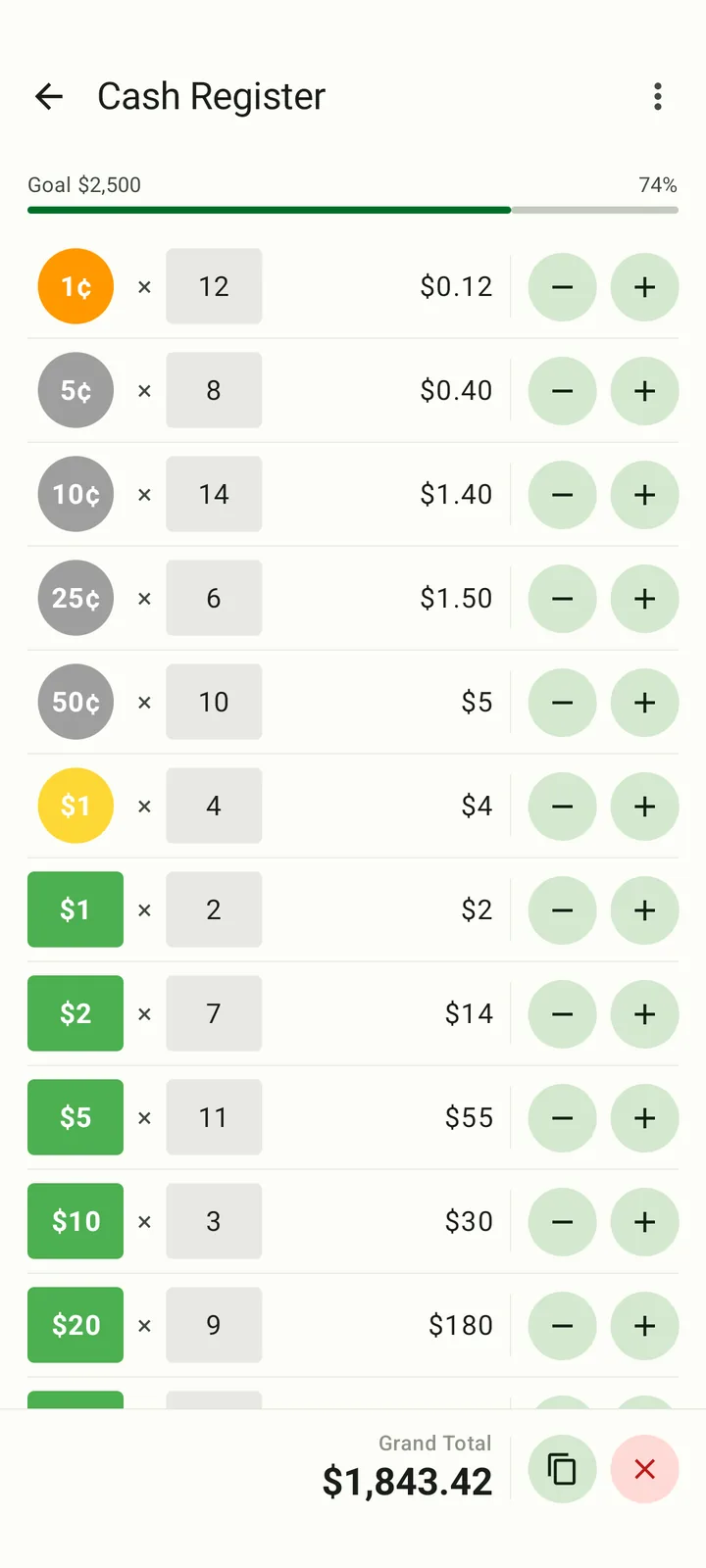
Fast denomination entry
Tap plus or minus for each denomination and watch the running total update instantly.
Clear summary breakdown
Review coins, notes, and grand totals before closing out, sharing, or exporting the result.

FAQ
Use it to count register tills, petty cash, tip jars, market sales, vending cash, church collections, personal savings, or any stack of bills and coins that needs a fast total.
Cash Counter supports multiple currencies, including common note and coin setups such as US dollars, euros, pounds, and more. You can pick the right currency for each counter.
Yes. You can count cash without an internet connection. That makes it useful in shops, events, markets, or back rooms where connectivity is unreliable.
Yes. Cash Counter is available on Apple Watch, so you can check totals and keep counting without pulling out your phone every time.
Yes. Pro users can export totals as CSV or plain text, which is handy for accounting, record keeping, or sending a count to another person.
A regular calculator makes you multiply and add denomination values yourself. Cash Counter is made specifically for money counting, so you tap denominations directly and see a structured breakdown of the total.
Yes. You can start counting for free. Cash Counter Pro unlocks advanced features like multiple counters, detailed summaries, and export options.
On Apple devices, your counters can sync through iCloud so the same totals are available on iPhone, iPad, and Apple Watch.
Download Cash Counter
Download now for iPhone, iPad, Apple Watch, or Android.